
Where the best FiveM servers are built
Gstudio Development
Check Produts
HUD V2
25.00 USD
Resource Description

3fbec477379bb44b6e7734dab06f8a12dba50f28.png

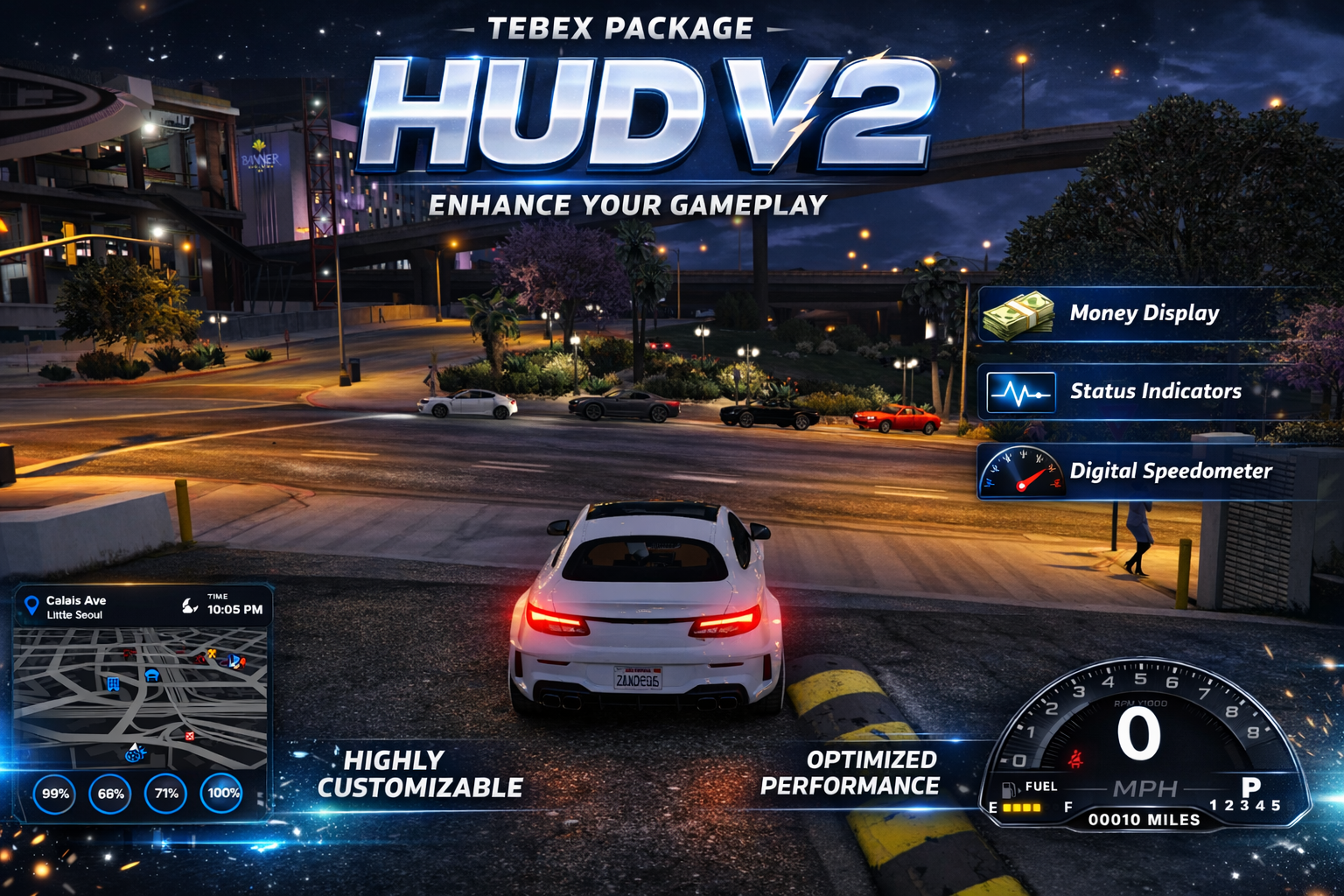
🚘 GSTUDIO HUD V2

A premium all-in-one FiveM HUD built to upgrade immersion, driving, and roleplay on your server.

⚑ Advanced Vehicle + Player HUD With Customization, Audio Features, and Server Branding
Perfect for serious RP servers, economy servers, police servers, and custom communities wanting a sleek modern HUD.

πŸŽ₯ Script Preview


⭐ Why Server Owners Love This HUD

  • 🎨 /hud menu lets players move the HUD around and change colors
  • πŸ”Š Working stomach growl when players are hungry and nearby players can hear it
  • πŸš— Press G to turn the engine on or off
  • πŸͺ‘ Press B to put the seatbelt on or off
  • 🚨 No seatbelt car chime plays when the seatbelt is off
  • βš™οΈ Working PRND gear display for realistic driving feedback
  • πŸ’Έ Displays cash, bank, and dirty money
  • 🌀️ Includes time and weather display
  • 🏷️ Advertise your server with your own logo watermark
  • πŸ’Ž Clean modern design built for immersive gameplay

🧩 Main Features

  • Fully Customizable HUD – Players can reposition the HUD and change colors using /hud
  • Vehicle Controls – Quick keybind support for engine toggle and seatbelt toggle
  • Seatbelt Warning System – Immersive chime when seatbelt is not enabled
  • Realistic Audio Feedback – Hunger stomach growls can be heard by nearby players
  • PRND Gear Indicator – Shows park, reverse, neutral, and drive status
  • Money Displays – Supports regular money and dirty money display
  • Server Branding – Add your own logo watermark directly onto the HUD
  • Time + Weather Display – Gives players useful live environmental info

⌨️ Default Controls

G – Turn engine on/off
B – Toggle seatbelt on/off
/hud – Move HUD and change colors

⚑ Performance

Optimized for smooth gameplay and designed to run cleanly on active roleplay servers.

Built to look premium while staying lightweight and practical for everyday server use.


βš™οΈ Framework Compatibility

ESX QBCore QBox Standalone

πŸš€ Installation

  1. Drag the script into your resources folder
  2. Add it to your server.cfg
  3. ensure Gstudio_HudV2
  4. Restart your server
  5. Use /hud in-game to configure the layout and colors

πŸ’¬ Support

Need help installing or configuring?
Join the official GSTUDIO Discord.

Discord.gg/Gstudio